
Introduction
Even the most authentic reviews lose impact if presented poorly.
Good widget design makes credibility visible — and conversion measurable.
1. Use Readable Typography and Spacing
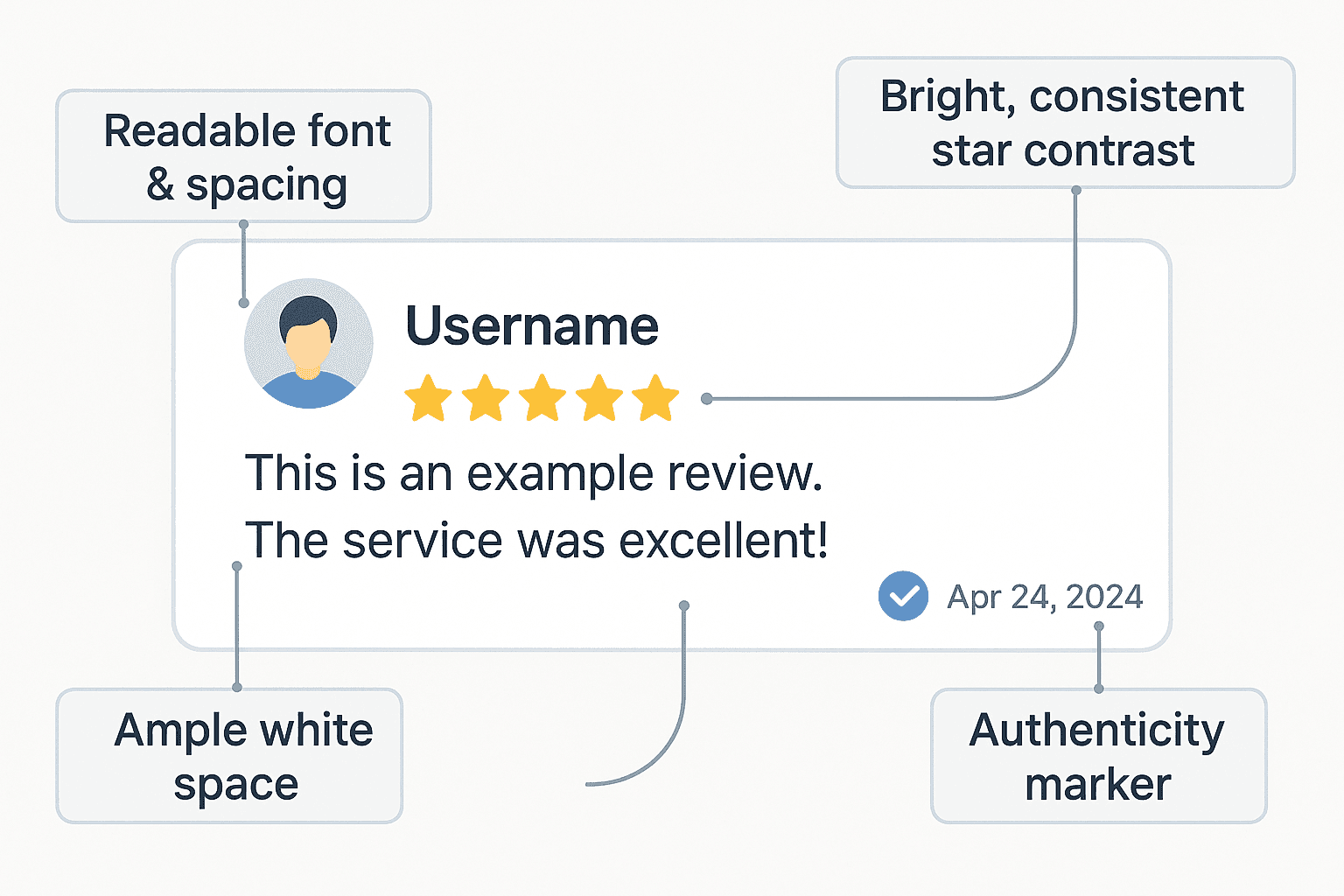
Small fonts and cramped layouts make even genuine reviews look fake.
Leave white space and keep line lengths comfortable.
2. Choose Color Wisely
Use consistent brand colors, but keep stars bright yellow or gold — users associate them with credibility.
3. Highlight Authenticity Elements
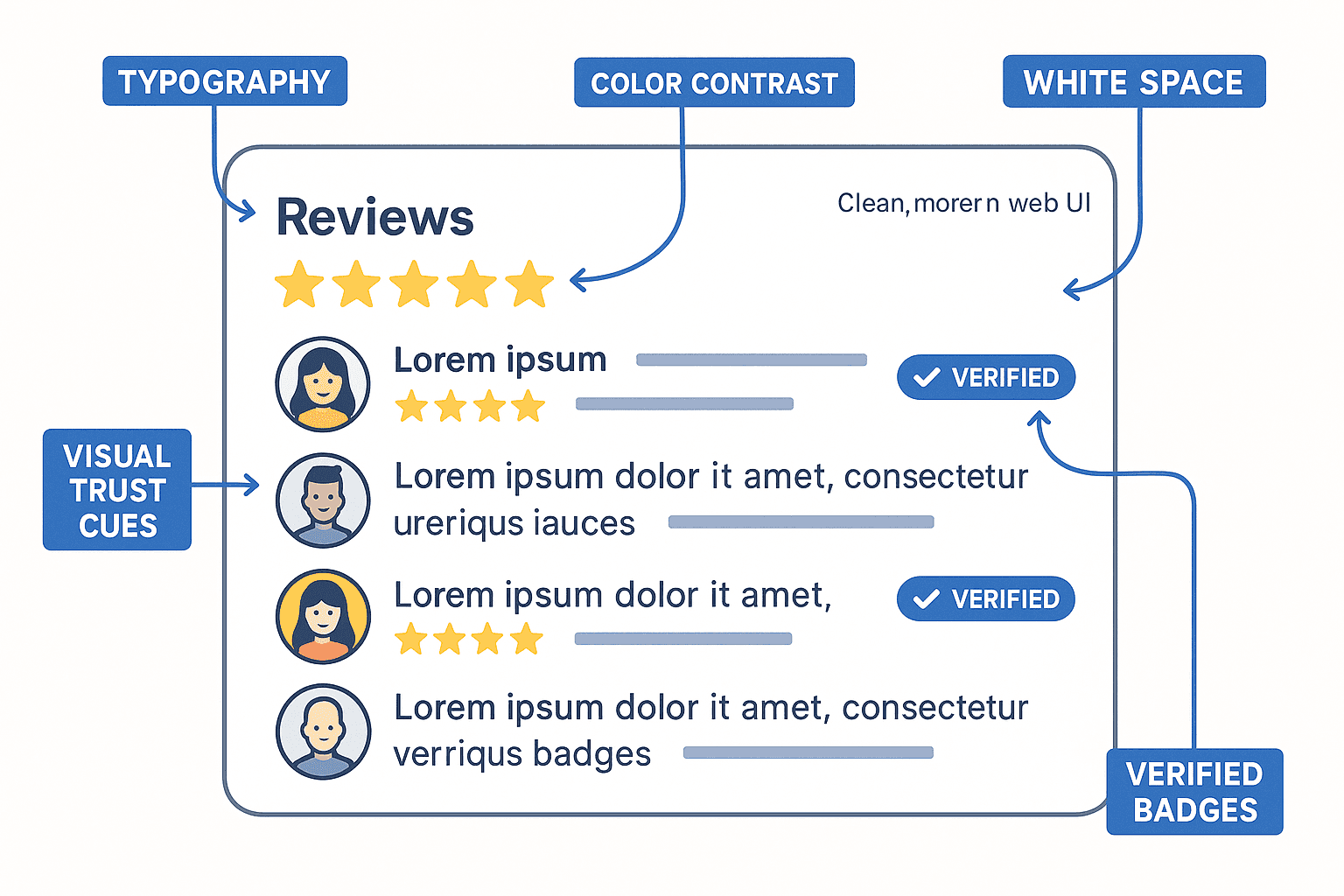
Show profile photos, verified badges, and dates.
Widgets like ShowAllReviews automatically display verified origin markers (Google, Facebook, etc.).
4. Keep Loading Smooth and Fast
Performance equals trust.
ShowAllReviews widgets use lightweight HTML rendered inside optimized iframes that pass all Lighthouse checks.
Design that converts
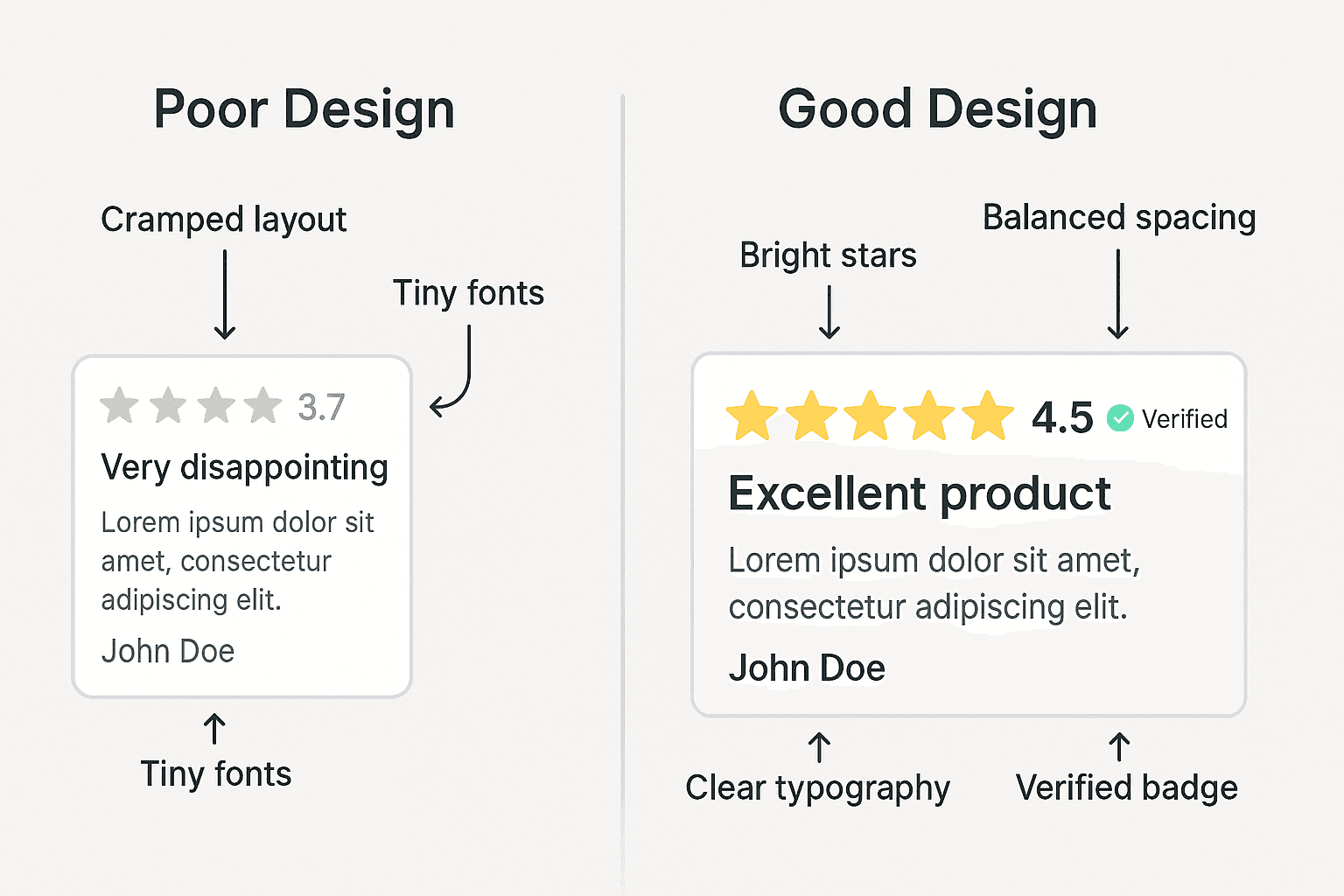
Balanced visuals make your testimonials credible and inviting.